Words with EZ Cheats
- 3.8
- Rating
- 10.00K
- Installs
- Free
- Price
 Analysis by App-foxy
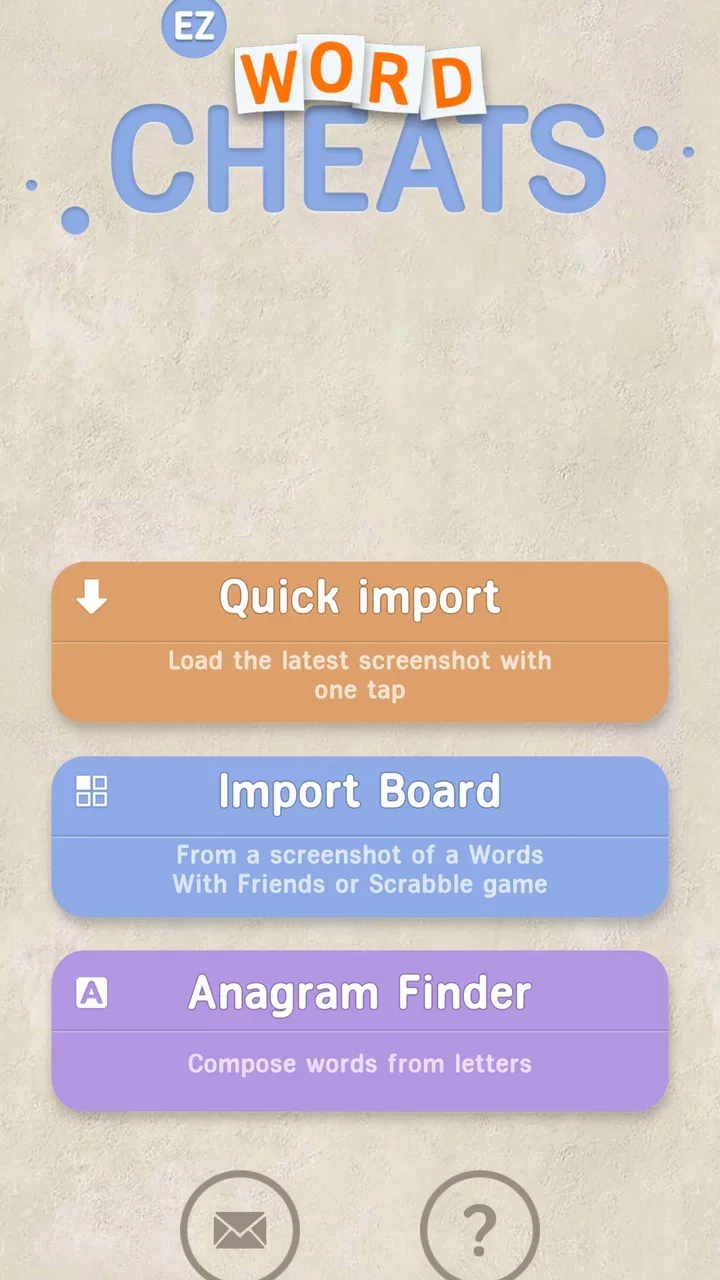
I tested Words with EZ Cheats as a practical companion for word-game players, and my first impression was very specific: this is not trying to replace a crossword app, a dictionary, or a full word puzzle game. It is a helper built around WWF, with the store summary describing it as an OCR cheat tool for that experience. In plain terms, its appeal is convenience. You use it when you are stuck, want to inspect a board, or need help turning a difficult position into possible words.
That narrow purpose is also the key to deciding whether it belongs on your phone. If you enjoy solving every letter without assistance, the app may take away the part you value most. If you treat word games as a casual break and mainly want to avoid being blocked by one awkward rack or board position, it can be useful. I would describe it as a tactical aid rather than a game in its own right.
How the helper fits into a normal word-game session
The developer is Games Extras, and the app is listed in the word-game category. It is free, aimed at Everyone, and supports Android 8.0 or later. The current version is 7.5.0, so anyone considering installation should first check that their device meets that basic system requirement. Its public footprint is modest but real, with over ten thousand installs, an average rating of 3.8 from around two hundred ratings, and dozens of written reviews.
You May Also Like

 Blood Strike: 2.5 Anniversary
Blood Strike’s Loadouts Turn Every Drop Into a Tactical Gamble
A close look at Blood Strike’s custom loadouts: how fast access to signature weapons reshapes its battle royale rhythm, rewards preparation, and narrows the gap between fights.

 Pandora - Music & Podcasts
Pandora’s Music Is Easy to Start, but Harder to Recover
Pandora’s strength is its low-effort path from a seed to a station. Its weak spot is how much confidence it asks you to place in connection, setup, and quiet recovery.

 8 Ball Pool
 Is Built on Rivalries, Rematches, and Routine
A close look at the rivalries, rematches, shared routines, and unanswered safety questions that turn a quick pool match into a persistent mobile community.

 Samsung Music
’s Quiet Strength Is Playing What You Already Own
Its reach comes less from spectacle than from dependable access to a personal library. That simplicity is both the app’s strongest retention engine and its ceiling.

 AccuWeather: Weather Radar
AccuWeather Review: A Quick, Clear Forecast for Everyday Decisions
For everyday plans, the best forecast is the one you can understand quickly. AccuWeather makes rain timing, radar, and local conditions easy to act on, with a few trade-offs.

 Hill Climb Racing
Why Hill Climb Racing Still Turns Crashes Into One More Run
A tiny car, a bumpy hill and one more upgrade: Hill Climb Racing keeps resurfacing because its simple chaos makes every near-miss feel personal.
More From Our News Desk



Those figures suggest a small utility with a particular audience, not a mainstream game that everyone will understand immediately. I would not install it expecting a polished campaign, daily challenges, social matchmaking, or a progression system. The experience depends on the word game it assists. That makes the quality of the helper less about entertainment on its own and more about whether it reduces the friction of finding an answer.
The OCR angle matters because it points to a different workflow from manually typing every letter into a word finder. In a realistic session, I might reach a board where the available tiles, existing words, and open spaces are difficult to read at a glance. A tool that can interpret what is visible may save time. The important practical lesson is to treat the result as a suggestion to inspect, not as an automatic guarantee that every detected letter or placement is correct.
That distinction is especially important on a small phone screen. Letter tiles can sit close together, board colors can reduce contrast, and a camera or screen-reading process may misinterpret a character. Before accepting a proposed word, I would compare it with the original board and verify the rack manually. This extra check is not busywork; it is the difference between using OCR as a shortcut and trusting a mistaken reading.
A useful workflow for stuck positions
My preferred way to use a tool like this would be in three passes. First, prepare the board so the letters are visible and there is as little visual clutter as possible. Second, let the helper process the position instead of repeatedly guessing from memory. Third, review the suggestions against the actual board before making a move. That final step keeps the app in an advisory role and prevents a poor scan from dictating the entire turn.
There is also a good reason not to consult it after every move. Constant checking changes a word game from a quick mental exercise into a sequence of interruptions. I would reserve it for positions where I have genuinely run out of ideas, where a rare letter is blocking progress, or where I want to understand what kind of move the board is inviting. Used selectively, it can keep a casual match moving without completely removing the challenge.
One less obvious use is post-game learning. Instead of using the first suggestion immediately, I could look at the available possibilities and ask why they work: is the value coming from a short word on a premium square, a useful hook onto an existing word, or simply from clearing an awkward rack? That approach turns a cheat-style utility into a limited study aid. It will not teach strategy automatically, but it can expose patterns I would otherwise miss.
Where the convenience starts to feel like pressure
Word games often create pressure in small ways. A difficult turn can make a player feel that they must find the perfect move, especially when playing against someone more experienced. A helper can reduce that pressure, but it can also create a new habit: checking the app whenever a move is not immediately obvious. In my view, the healthiest use is occasional rescue, not automatic consultation.
This matters for progress. If I use assistance only when the board is unusually hostile, I still practice vocabulary, placement, and pattern recognition during most turns. If I use it for every rack, I may finish more matches while learning less about why a move is strong. The app can therefore support enjoyment, but it cannot decide whether I am improving. That depends on whether I pause to understand the suggestion rather than simply copy it.
A practical compromise is to set a personal rule before starting. For example, I might allow one check per match, or only use the helper after writing down my own best attempt. That keeps the tool from becoming an invisible second player. It also makes the moments when I do consult it more informative, because I can compare my instinct with the available alternatives.
Fairness depends on the way you use it
The biggest question is not whether a word helper can be convenient; it is whether using one is fair in the setting where you play. In a private, relaxed match, some players may see it as harmless assistance. In a competitive game, a ranked environment, or any match governed by an agreement not to use outside help, the same action can undermine the point of playing.
I would be especially careful when the other player does not know that assistance is being used. The app may make a difficult board easier, but the opponent is still making decisions under the assumption that the match reflects unaided play. That creates a fairness problem even if the tool itself is free and easy to access. The responsible choice is to agree on the rules before the game or keep the helper for solo practice.
There is a useful middle ground for players who want to improve without pretending that every move was their own. Use the app after a match to review positions, rather than during a live turn. Reconstructing a difficult board and seeing what options were available can teach board awareness while preserving the integrity of the original game. It is slower than instant help, but it supports learning rather than quietly changing the contest.
Another trade-off is that an OCR-based helper may favor what it can recognize, not necessarily what a human player would notice first. A visually clean board may produce more useful results than a crowded one, while unusual fonts, low contrast, or an incomplete view can make the process less dependable. That means the tool does not remove judgment from the player. It shifts judgment from “what word can I see?” to “did the app read this position correctly, and is its suggestion actually legal and worthwhile?”
Free to use, but the bigger cost is attention
Words with EZ Cheats is listed as free, which lowers the barrier to trying it. I would still separate monetary cost from practical cost. The time spent preparing a board, checking a scan, and comparing suggestions can interrupt the quick rhythm that makes a word game enjoyable. For a player who wants a fast answer, that interruption may be more annoying than being stuck for a minute.
The free model also makes it sensible to test the app cautiously rather than assuming it will fit every session. Start with a non-competitive board and see whether the OCR workflow feels clear on your device. If the process is awkward, the fact that there is no purchase price does not make it a good match. A manual word finder may be faster for someone who already knows exactly which letters and spaces they need to enter.
Compared with a standard dictionary, this helper has a different job. A dictionary is better when I want to check meaning, spelling, or whether a word is familiar. Compared with a conventional word-finder, the OCR approach may be more convenient when the board is already on screen, because it aims to reduce manual transcription. On the other hand, a conventional solver can be easier to control when I want to test a specific rack, exclude letters, or explore a position deliberately.
That comparison leads to a clear recommendation. Choose this app when the main nuisance is transferring a visible WWF position into another tool. Choose a dictionary when learning vocabulary matters more than finding a move. Choose manual solving when the satisfaction comes from the struggle itself. None of these options is universally better; they serve different reasons for opening a word game.
What I would check before relying on it
I would not assume that every detected word is automatically valid in the particular game being played. Word games can differ in accepted vocabulary, board rules, and the way they score placements. Even when a suggestion looks plausible, I would confirm that it fits the visible spaces and that the game accepts it. The safest habit is to use the helper to generate ideas, then let the original game remain the final authority.
I would also avoid using it on a board that contains private information beyond what is needed for the word puzzle. A cropped, clean view is preferable to handing over an entire screen when the task only concerns letters and squares. This is a general privacy-minded workflow rather than a claim about any particular permission or policy. It simply limits what is exposed during use.
Another point is patience. If the first result looks strange, I would not immediately conclude that the app is useless. I would improve the view, check whether every tile is visible, and compare the reading with the board. Conversely, I would not keep retrying indefinitely when the position is visually messy. At that point, manual entry into a familiar solver may be the more reliable alternative.
Because the app has a 3.8 average rather than an exceptionally high score, I would approach it with realistic expectations. That rating does not tell me exactly which situations caused disappointment, but it does reinforce the idea that this is a focused utility worth testing on my own phone before making it part of every match. A small tool can be valuable without being flawless, especially when its usefulness depends on the clarity of the input.
Who should install it, and who should skip it
I can see the strongest fit for casual WWF players who sometimes want a nudge, people who dislike manually copying a board into a solver, and learners who plan to review suggestions instead of blindly using them. It may also suit someone who plays on an older Android device, provided that device runs Android 8.0 or newer, because the stated minimum is not especially demanding by modern standards.
I would skip it if my main goal were pure, unaided competition. I would also skip it if I wanted a complete word-game experience inside one app, since its purpose is assistance rather than replacing the original game. Players who need detailed definitions, structured vocabulary lessons, or a carefully designed practice mode should look toward tools built specifically for those jobs.
The app is also a poor fit for anyone who finds that outside help removes the pleasure of discovery. That is not a technical weakness; it is a mismatch between the tool and the reason for playing. A free helper can still make a game feel less rewarding if every difficult moment becomes an instruction to consult it.
My trust verdict after weighing the trade-offs
The best way to think about Words with EZ Cheats is as an occasional board-reading shortcut, not as a substitute for playing. Its focused OCR concept addresses a real annoyance: manually describing a visible word-game position can be tedious. The free price makes experimentation easy, and the Everyone age rating makes its intended audience broad. The developer, Games Extras, has kept the idea straightforward enough that its value is easy to understand.
My recommendation comes with boundaries. I would use it for solo practice, friendly matches where everyone agrees, or after-game analysis. I would not use it secretly in a competitive setting, and I would not trust a scan without checking the original board. Those habits protect both fairness and accuracy while preserving some of the mental work that makes word games worthwhile.
In the end, this is a niche tool with a sensible use case rather than an essential download for every word-game fan. The rating and install count point to a small, mixed audience, which feels appropriate for an app that solves one particular problem. If that problem is the time spent reading a WWF board and finding possible words, it is worth a careful trial. If the challenge itself is what you came for, keeping it closed may be the better choice.
FAQs for Words with EZ Cheats
01What is Words with EZ Cheats?
Words with EZ Cheats is a word-game companion designed to help players find possible solutions, discover playable words, and improve their performance in compatible word puzzles. After exploring its features, it appears most useful for players who are stuck on a difficult board or want to check whether a particular letter combination can form a valid word. It is primarily a support tool rather than a complete standalone word game.
02How does Words with EZ Cheats help solve word puzzles?
The app generally works by allowing users to enter the letters, tiles, or other information available in their current puzzle. It then processes that input and presents potential word suggestions, usually arranged according to length or usefulness. Results can help you identify overlooked possibilities, plan a stronger move, or learn new vocabulary. The accuracy of suggestions may depend on the selected game mode and the information entered.
03Is Words with EZ Cheats free to download and use?
Words with EZ Cheats may be available to download without an upfront charge, but users should review the current store listing carefully because pricing, advertising, and optional premium features can change over time. Some versions may include ads or limit certain tools unless an upgrade is purchased. Before downloading, check the app’s in-app purchase section, privacy details, and recent user reviews for the most accurate information.
04Does Words with EZ Cheats work with every word game?
The app can be helpful with many letter-based puzzles, but it should not be assumed to support every word game or every version of a particular title. Different games use different dictionaries, tile values, board rules, and accepted-word lists. A suggestion shown by the app might therefore be rejected by the game you are playing. Always confirm that the app supports your specific puzzle before relying on its results.
05Is using Words with EZ Cheats allowed in online multiplayer games?
Whether using Words with EZ Cheats is acceptable depends on the rules and fair-play policy of the game involved. In casual offline play, it can be used as a learning aid or vocabulary reference, but using external assistance in competitive online matches may be considered cheating and could affect rankings or account access. We recommend checking the game’s terms of service and using the app responsibly, especially when playing against other people.
Pros
- Simple interface makes it easy to start playing quickly.
- Helpful cheat options can assist players stuck on difficult words.
- Suitable for casual sessions and short breaks.
- Word challenges may help expand vocabulary over time.
- Lightweight design should run smoothly on many mobile devices.
Cons
- Cheat-focused gameplay may reduce the satisfaction of solving words yourself.
- Some answers may feel repetitive after extended play.
- Difficulty balance may not suit experienced word-game players.
- Ads or in-app purchases may interrupt the overall experience.
- Requires careful spelling; minor mistakes can prevent valid answers.

Words with EZ Cheats
Gallery